Meeting notes, written for you,
minutes after the call ends.

Record everything. Upload nothing. Zerds records both sides of a call, transcribes it and writes the notes — on your computer. Not on a server belonging to someone else, because there isn't one.

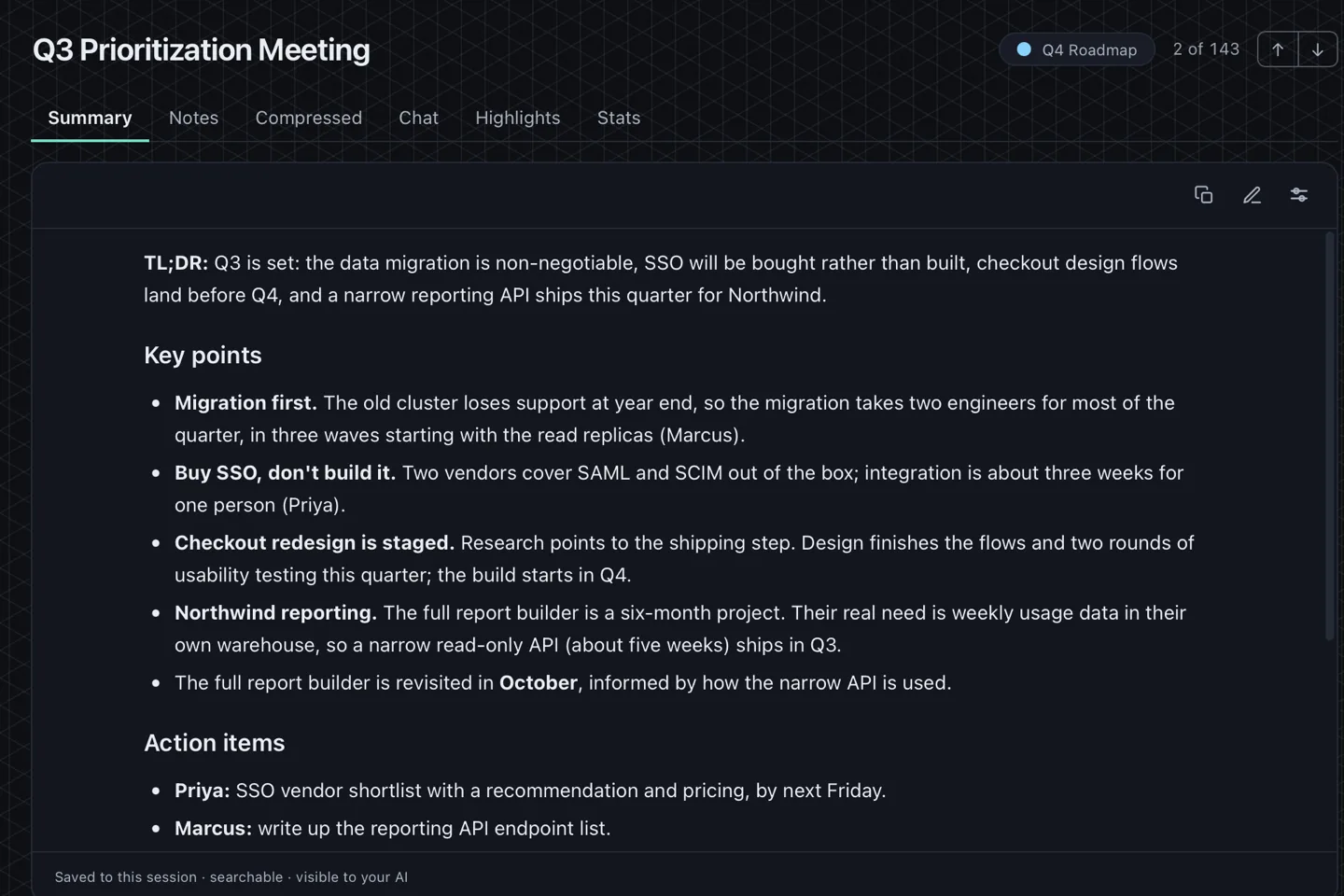
Windows, macOS, or LinuxNo account, no cloudWhat's included

A finished meeting's generated summary: a short overview, the key points, and action items with named owners.

Turn the network off. Nothing changes.

Switch on airplane mode, start a recording, and watch both sides transcribe and a summary generate while the machine is disconnected. The models are already on your disk and the AI runs beside them. Nothing in that chain needs a connection.

Check it yourself

Every network call Zerds makes. There are no others.
CallWhenWhere to
Model downloadThe first time you use a model, then cached and run offline. Nothing of yours is sent — it is a file download, and every file is checked against a build-time checksum before it is used
  • huggingface.co
  • hf-mirror.com (fallback, if huggingface.co is blocked)
  • github.com (k2-fsa/sherpa-onnx, microsoft/onnxruntime releases)
  • raw.githubusercontent.com (uhstray-io/zerds-public — ours)
  • registry.ollama.ai (only for Ollama models)
Model catalogueWhen you open the model list in Settings, to see which models exist and how big they are. Asks for a file listing — nothing of yours is part of the request
  • huggingface.co
ONNX Runtime downloadFirst run, if the runtime is not already present. Checked against a build-time checksum before it is used
  • github.com (microsoft/onnxruntime releases)
Bug report / feedback formOnly when you click Report a bug or Send feedback. Opens a form in your browser — Zerds sends nothing to it, and attaches no recording, transcript or log
  • docs.google.com (opened in your browser, not by Zerds)
Your remote AI endpointOnly if you configure one. Transcript text goes to the server you chose
  • whichever endpoint you configure — nothing by default
DiscordOnly during a Discord recording you start
  • discord.com
Store ownership confirmationOn launch, on a Microsoft Store build. Windows confirms the licence you already own — no Zerds account, and no transcript, recording or filename is part of it
  • Windows licensing services — no Zerds server

One meeting, start to finish

In the order you'd actually do it: press Record, take the call, read the notes.

Record both sides

Your microphone and the system's own audio are captured as two separate channels on one timeline. It is loopback capture, not an integration, so it works with any app that makes sound — a video call, a browser tab, a phone on speaker — including apps that don't exist yet. You can scope it to a single application instead of the whole machine.

Both sides, done honestly.

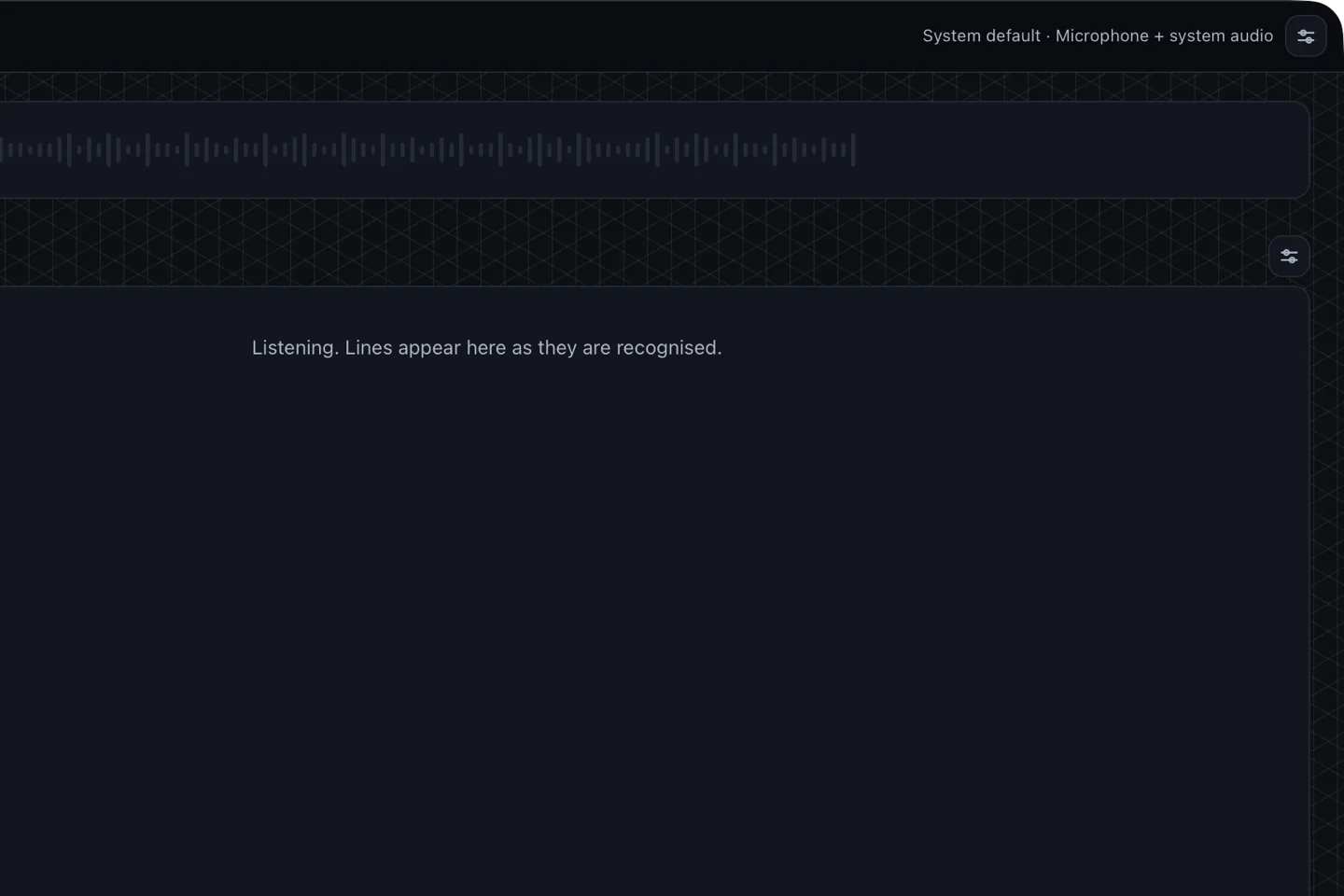
The recorder, ready: capture set to microphone plus system audio, with the live transcript below.

Watch the transcript happen

Whisper runs on your machine and the text appears as people speak, labelled and timestamped. On a lighter machine you turn live transcription off and Zerds just captures during the call, then transcribes when you stop — no mid-call CPU spike.

Respect for your machine.

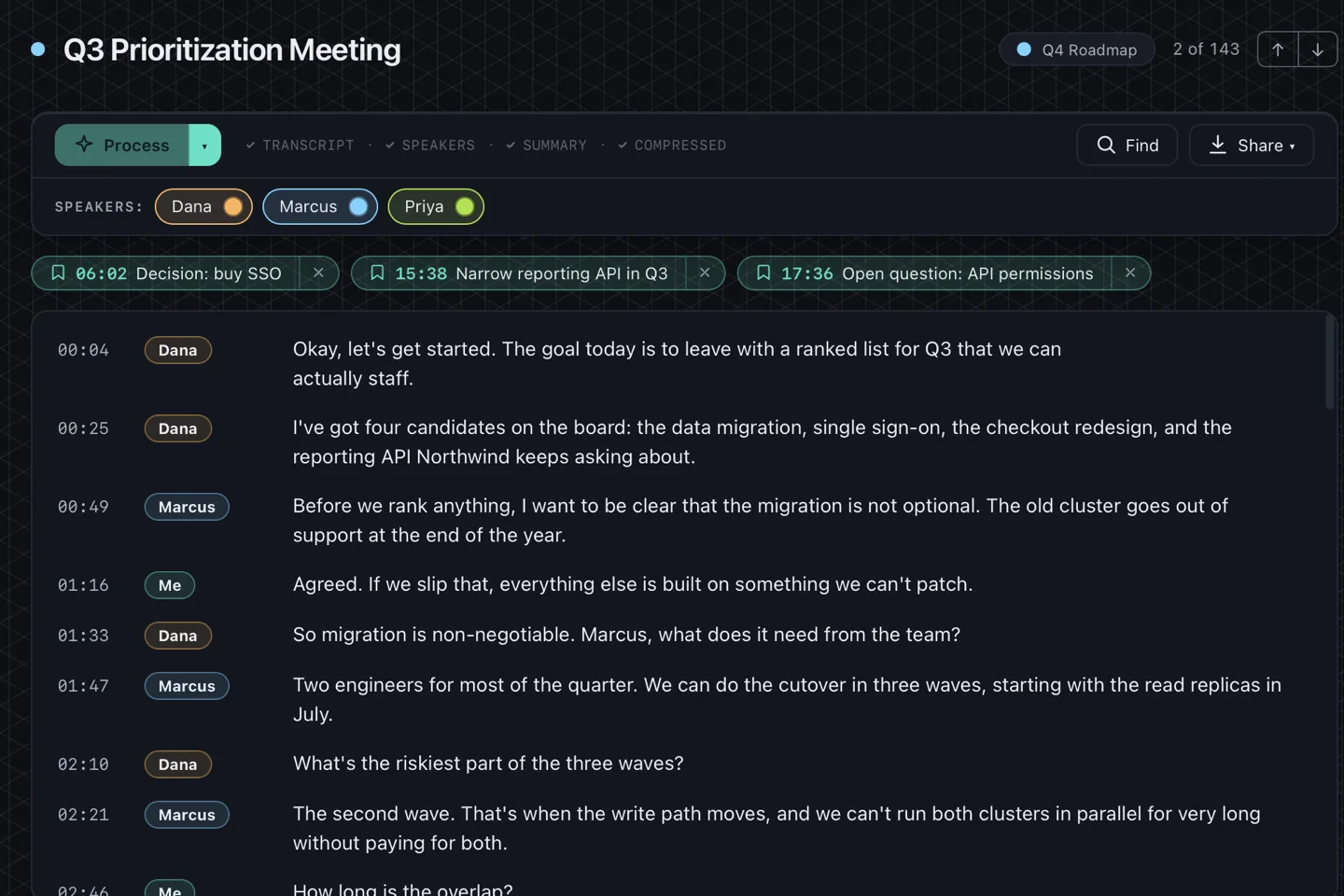
A transcript, each line carrying a speaker label and a timestamp.

Know who said what

On Discord your own bot joins the voice channel as a visible participant and receives one separated track per person, so every line carries a real name by construction rather than by guesswork. Everywhere else, optional on-device speaker matching splits the Others channel into distinct speakers you can name.

Even working out who is speaking never leaves the machine.

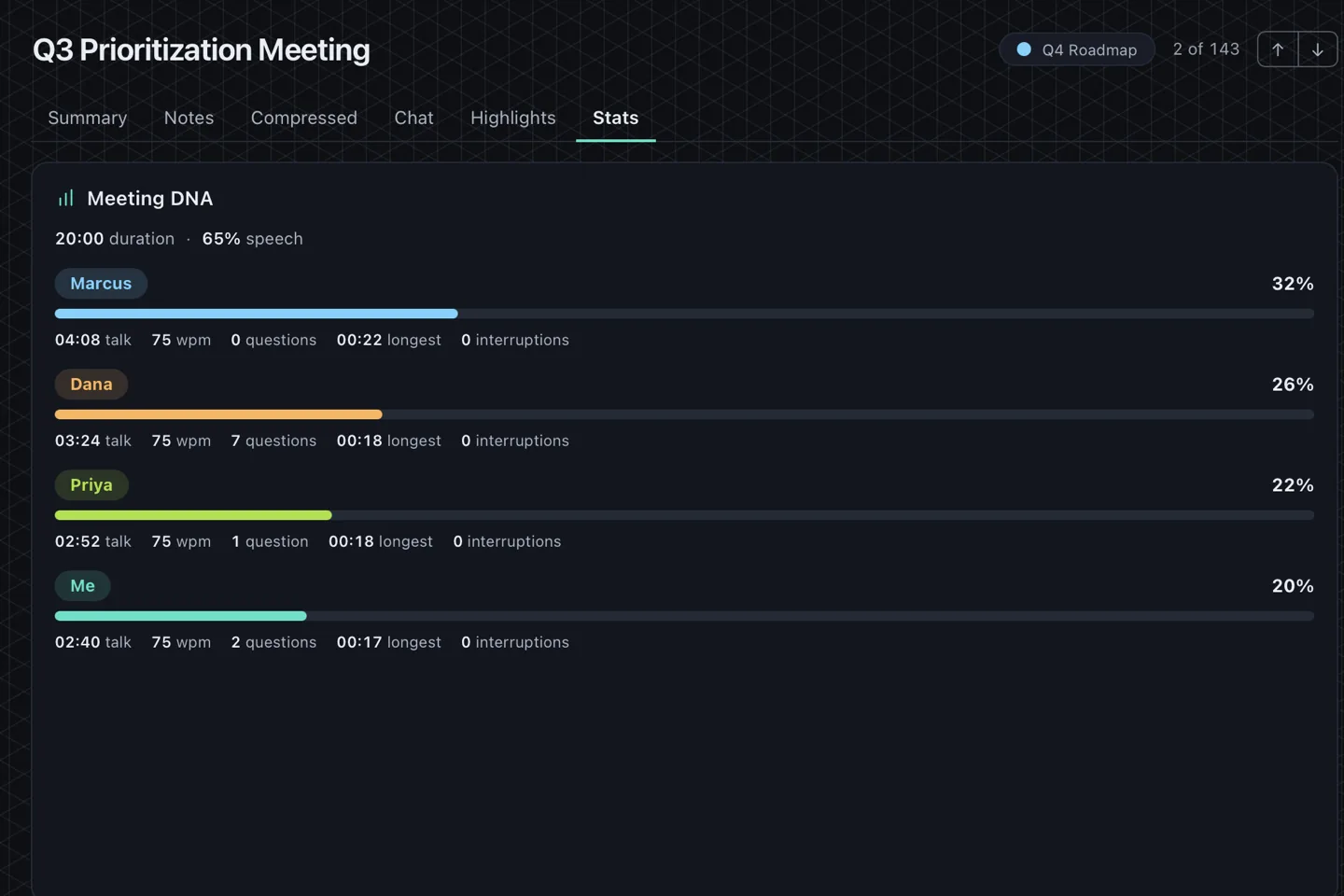
Meeting DNA: each named speaker with their share of the talking, words per minute, questions asked and interruptions.

Meetings become notes

A local model reads the finished transcript and writes a summary, the decisions, and the action items with owners. You pick a style preset or write your own prompt. It is grounded only in what was actually said.

The AI is local too — "private" isn't diluted the moment you want intelligence.

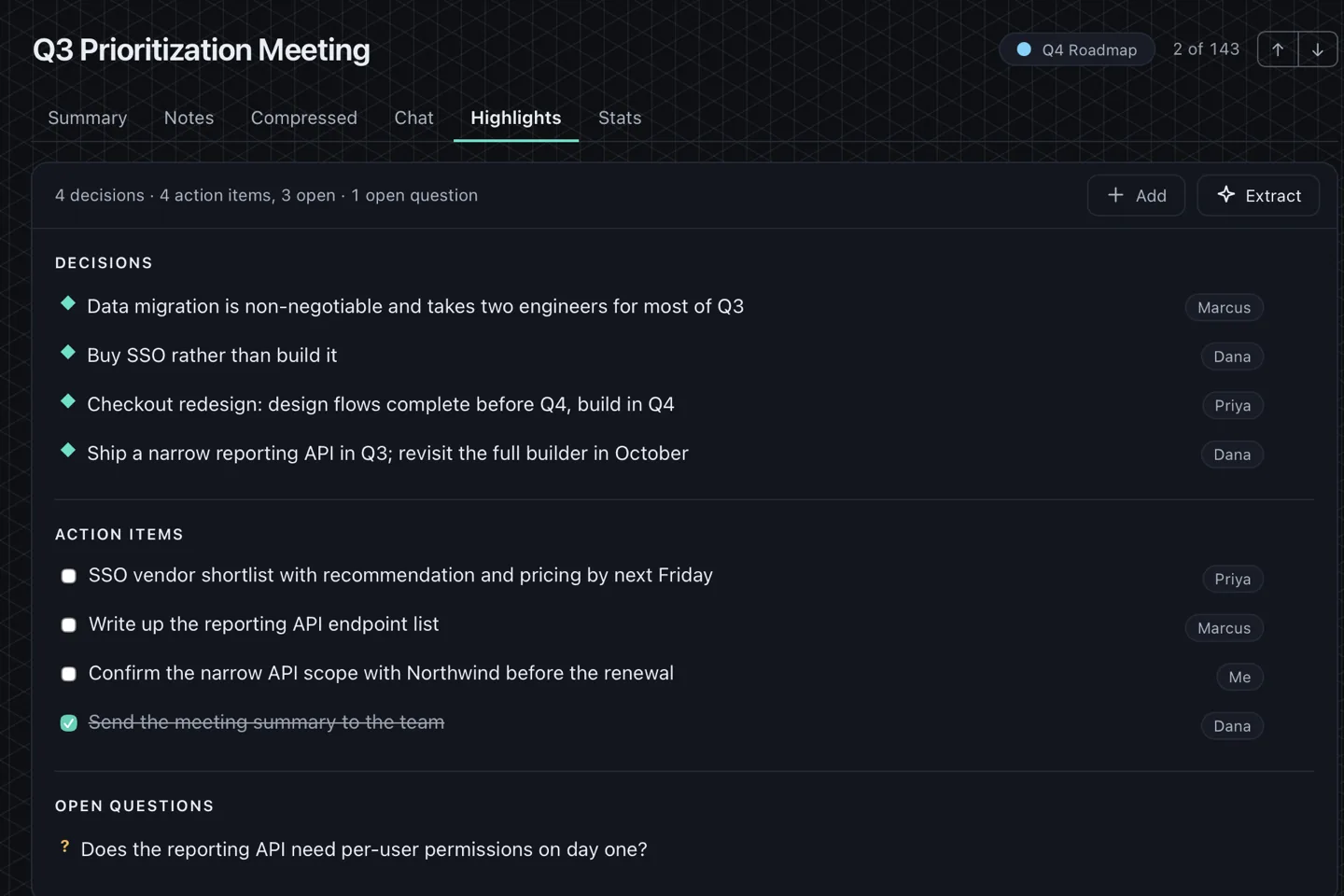
Highlights drawn from a meeting: the decisions taken, action items with named owners, and the questions still open.

It remembers across meetings

Meetings group into projects, and one living overview document stays current after each call while preserving your own edits. Ask it a question and the answer comes from your transcripts — and it says when something wasn't discussed rather than inventing it.

Your data stays yours, and stays usable.

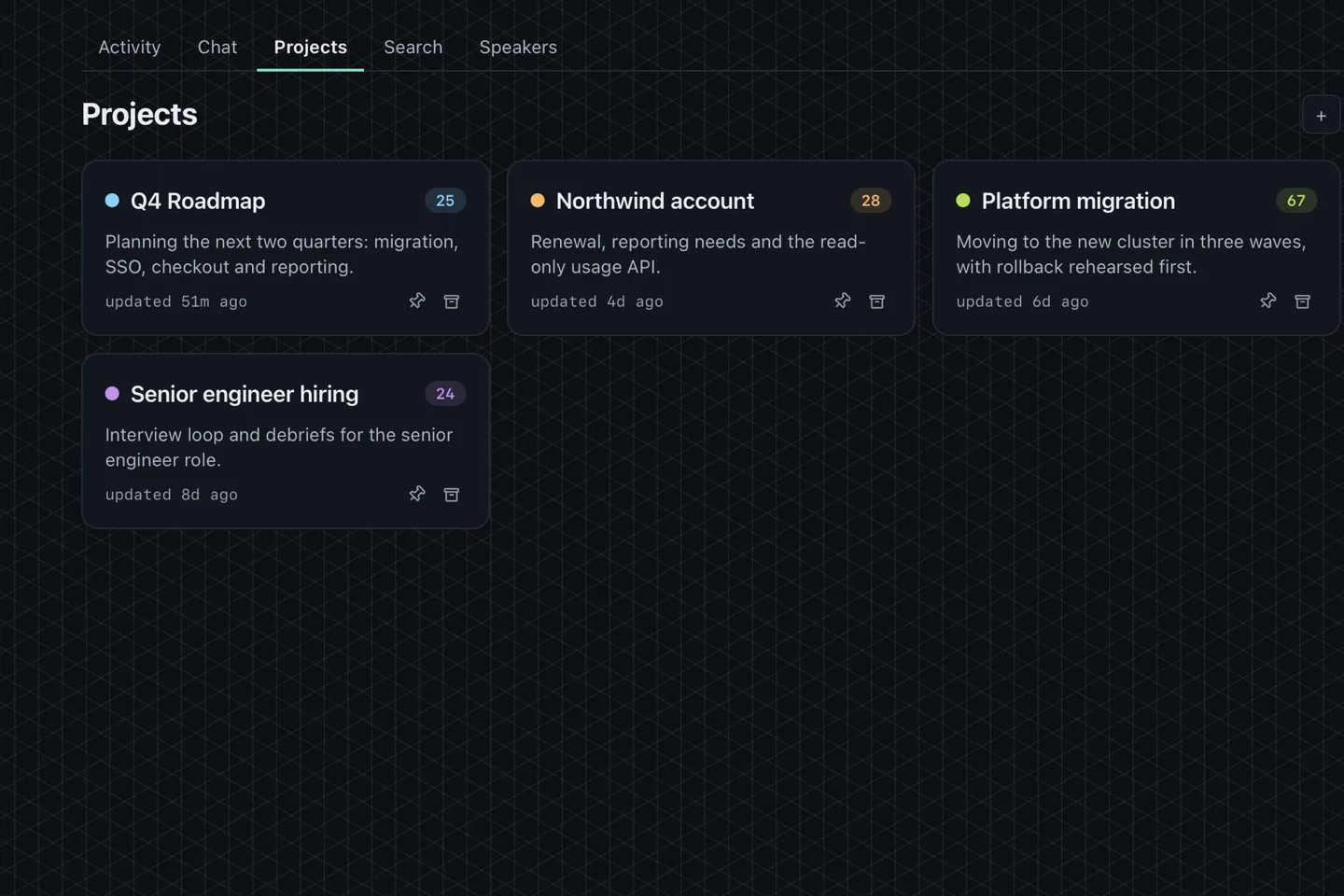
The projects view: meetings grouped into named projects, each showing how many meetings it holds and when it was last updated.

And it stays useful afterwards

The parts nobody buys software for, and everybody notices when they are missing.

  • Full-text search across every meeting you have recorded.
  • Per-line replay — click any line to hear that exact moment.
  • Export to Markdown, SRT or JSON, plus a merged WAV.
  • Optional at-rest encryption on the database, with a password you set.
  • Auto-delete audio on a schedule, or keep it forever. Your folder, your call.
  • Written in Rust, dependency-audited against the RustSec advisory database.
  • Commercially-licensed models only, with the NOTICES file shipped in every build.
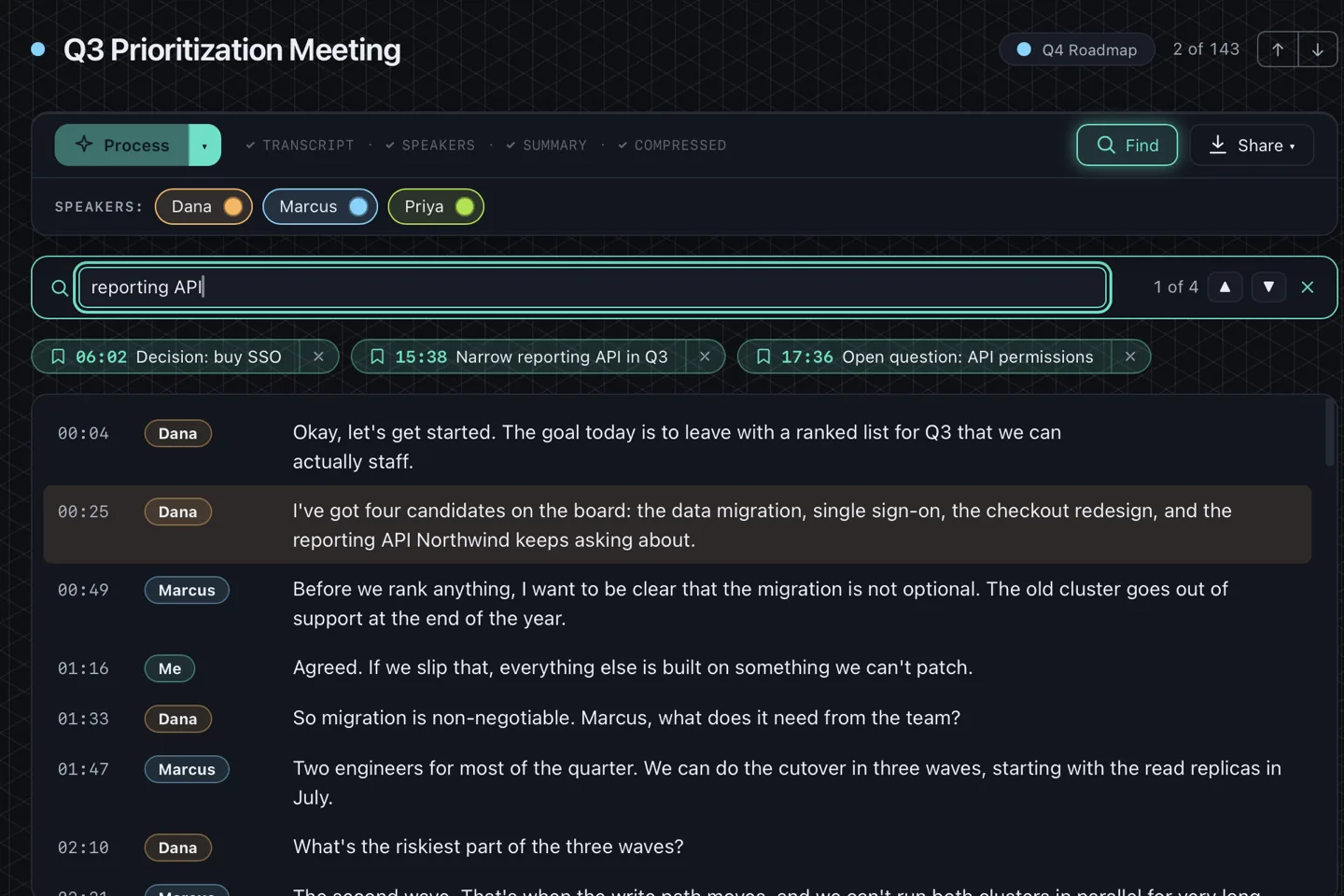
Find in a transcript: every match highlighted, with its speaker and timestamp.
Privacy here is the architecture, not a setting. There is no cloud to opt out of, no account to delete, and no server that could be compelled to hand over your conversations — because no server has ever held one. There has never been a copy to leak, sell, subpoena or train on.
Why it is built this way

What it costs

$34.99 · one-time · everything included

plus applicable taxes, shown at checkout

Zerds is in beta on all three platforms. It works and it is what I use every day, but you will find rough edges.

Everything is included
There is no tier above this one and no feature held back for a Pro version, because there isn't a Pro version.
One payment
Not per month, not per seat, and not per hour of audio.
It keeps working offline
There is no licence server, which means there is nothing that can be switched off later.
No Zerds account
On a Store build, Windows confirms through your Microsoft account that you own it. That is the Store, not Zerds.

Refunds

We do not offer a voluntary money-back guarantee. Refund rights required by law still apply. Stripe is the merchant of record and may issue refunds at its discretion to resolve disputes within 60 days of purchase. Read Stripe's refund policy.
Questions people actually ask

Does any audio ever leave my computer?

No. Capture, transcription, summaries and storage all happen on your device, and there is no Zerds server for them to be sent to. The one hole in that sentence is deliberate and yours: if you point the AI at a remote endpoint you have configured, transcript text goes to that endpoint. Nothing else does. This is the complete list of network calls the application makes:

Every network call Zerds makes. There are no others.
CallWhenWhere to
Model downloadThe first time you use a model, then cached and run offline. Nothing of yours is sent — it is a file download, and every file is checked against a build-time checksum before it is used
  • huggingface.co
  • hf-mirror.com (fallback, if huggingface.co is blocked)
  • github.com (k2-fsa/sherpa-onnx, microsoft/onnxruntime releases)
  • raw.githubusercontent.com (uhstray-io/zerds-public — ours)
  • registry.ollama.ai (only for Ollama models)
Model catalogueWhen you open the model list in Settings, to see which models exist and how big they are. Asks for a file listing — nothing of yours is part of the request
  • huggingface.co
ONNX Runtime downloadFirst run, if the runtime is not already present. Checked against a build-time checksum before it is used
  • github.com (microsoft/onnxruntime releases)
Bug report / feedback formOnly when you click Report a bug or Send feedback. Opens a form in your browser — Zerds sends nothing to it, and attaches no recording, transcript or log
  • docs.google.com (opened in your browser, not by Zerds)
Your remote AI endpointOnly if you configure one. Transcript text goes to the server you chose
  • whichever endpoint you configure — nothing by default
DiscordOnly during a Discord recording you start
  • discord.com
Store ownership confirmationOn launch, on a Microsoft Store build. Windows confirms the licence you already own — no Zerds account, and no transcript, recording or filename is part of it
  • Windows licensing services — no Zerds server
Is there a free trial?

Not today. The Microsoft Store can run a timed trial without any server of mine, and I may add one; until then the site is the trial: the documentation is complete, the hardware check is free, and this page tells you what it can't do.

Is $34.99 really one payment?

Yes. There is no subscription, no seat count, and no usage metering. On updates, precisely:

Every 1.x update is included. If there is ever a 2.0, it's a separate purchase — and your 1.x keeps working, offline, for as long as you have it.

What if I don't like it?

Refunds are not mine to grant, so I am not going to promise you one. Whoever sold it to you owns that decision, and I would rather you read this site as the trial before you buy:

We do not offer a voluntary money-back guarantee. Refund rights required by law still apply. Stripe is the merchant of record and may issue refunds at its discretion to resolve disputes within 60 days of purchase. Read Stripe's refund policy.
How many computers can I use it on?

One person, personal use, on every computer you own or control — macOS, Windows and Linux.

Does it work with no internet at all?

Yes, with two honest exceptions, both on first run: a transcription model downloads once, and the ONNX runtime downloads once if it isn't already present. After that it records, transcribes and summarises with the network off. Those downloads are in the list above, along with everything else.

What if you stop developing it?

No server switches off, because there isn't one. Your recordings are ordinary audio files, your transcripts are a SQLite database, and everything exports to Markdown, SRT and JSON. There is no licence check that can start failing and no cloud that can shut down. A copy of Zerds you have installed keeps working.

What Zerds doesn't do

If one of these matters to you, buy something else. It is cheaper for both of us to find out now.

  • No shared team workspace, and no mobile app.
  • No cloud search across other people's meetings.
  • No sync between your machines — recordings stay on the disk that made them.
  • It needs a machine that can run a local model.
A subscription notetaker in the cloud will beat Zerds on team collaboration and on cross-device sync. It buys that by holding your audio. That's the trade.

Who's behind this

A small operation that ships seriously. Asking for money up front and staying anonymous would be an odd combination, so here is who you would be buying from.

Uhstray.io, LLC

New Jersey, USA

Questions before or after you buy: [email protected]

$34.99 · one-time · everything included. Sold by Stripe. Tax shown at checkout.

Buy — $34.99 once